The Philippine Identification System (PhilSys) National ID is meant to be the one ID that proves who you are when you deal with government offices, banks and other services. Many Filipinos have registered, but plenty still have questions. Where do you register? What do you bring? What do you do while you wait for the card?
This guide follows the Philippine Statistics Authority’s official PhilSys pages, checked on October 12, 2026. PhilSys has updated its process over time, so check philsys.gov.ph before you go.
Three Forms of the National ID
According to PhilSys, your National ID can come in three formats:
- The physical PhilID card, delivered to your address.
- The ePhilID, or National ID in paper format, which you can have printed at a registration center.
- The Digital National ID, accessed through the eGovPH app or national-id.gov.ph.
PhilSys says the Digital National ID has no expiration and has the same validity and functions as the card and the paper format.
Step 1: Go to a Registration Center
PhilSys’ current registration page tells applicants to go to any registration center and bring their supporting documents. Centers include:
- Fixed registration centers at PSA regional and provincial offices
- Mall-based registration centers
- Registration centers run with local government units
The PSA also runs mobile registration in far-flung areas, under “National ID on Wheels” and “National ID on Boat.” Its website keeps a list of centers with addresses and hours. The version we checked was dated August 7, 2026, and it includes PSA offices, malls and eGovPH Serbisyo Hubs in Metro Manila.
Older PhilSys guidance described an online pre-registration step at register.philsys.gov.ph, where you would get an Application Reference Number (ARN) and QR code. The current registration process page describes walk-in registration at centers. Check which applies at the center you plan to visit.
Step 2: Bring Supporting Documents
You will show your supporting documents to the Registration Kit Operator. PhilSys publishes the full list of accepted primary and secondary documents on its website. Bring originals, and make sure the names and dates match across your documents. Discrepancies can delay your ID.
Step 3: Validation and Biometrics
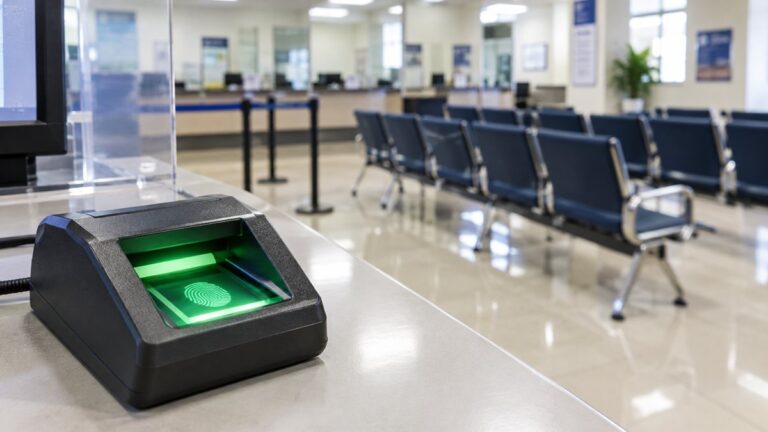
At the center, your demographic data is validated and your biometrics are captured. PhilSys says this includes your fingerprints, an iris scan and a front-facing photo. Older PhilSys guidance advised registrants to dress properly and avoid shorts and sleeveless tops, since your photo is taken on the spot.
Step 4: Review and Keep Your Transaction Slip
You will review and confirm your information. Then you will get a transaction slip with your Transaction Reference Number (TRN). PhilSys stresses that you should keep it. Your TRN is used to track delivery of your card and to check whether your ePhilID is available.
Getting Your ePhilID (Paper Format)
According to PhilSys’ FAQ, the ePhilID can be issued right after registration if there are no duplicates or discrepancies in your information. Otherwise, go to the nearest registration center and bring your transaction slip or TRN to request the printout.
Getting Your Digital National ID
PhilSys says all registered persons are eligible for the Digital National ID. You can access it in two ways:
- Through the eGovPH app on your phone.
- Through national-id.gov.ph on a computer or smartphone.
A guide from Globe describes the online flow. You enter your name and date of birth, verify with your registered mobile number, and complete a live face check before you can view your ID. PhilSys notes that you need an internet connection to open the Digital National ID in the eGovPH app.
Tracking Your Physical Card
Your physical PhilID is delivered to the address you gave during registration. Use your TRN to track it. When the courier arrives, PhilSys says you should present your transaction slip or a valid ID.
Need to Update Your Details?
If your information has changed or was recorded wrongly, not every center can help. PhilSys keeps a separate list of registration centers that offer updating services. The version we saw was dated February 12, 2025, and it includes the PSA-based center on Ramon Magsaysay Boulevard in Sta. Mesa, Manila. Check that list before you go, and bring documents that support the change you are asking for.
Tips to Avoid Delays
- Use only official channels: philsys.gov.ph, national-id.gov.ph and the eGovPH app.
- Never share your TRN or one-time passwords with strangers or “fixers.”
- Keep your mobile number active, since digital access relies on it.
- Check the center’s hours on the PSA list before you go. Some sites are open on Saturdays, while others close on weekends.
Is Registration Free?
The official pages we reviewed describe the registration steps without listing any registration fee. If anyone asks you to pay to register, check with the PSA first.
Sources
- https://philsys.gov.ph/registration-process/ (checked Oct 12, 2026)
- https://philsys.gov.ph/faq-frequently-asked-questions/ (checked Oct 12, 2026)
- https://philsys.gov.ph/registration-center/ (checked Oct 12, 2026)
- https://philsys.gov.ph/draft-registration-process/ (older guidance; checked Oct 12, 2026)
- https://www.globe.com.ph/blog/how-to-get-digital-national-id (checked Oct 12, 2026)
About the Author